




I’m all for convenience, and the Robinhood prediction markets app is your very own pocket-sized trading floor. It allows you to buy and sell event contracts on the move, so you get real-time updates and quicker trade execution.
The app packs the same punch as the desktop version when it comes to functionality and operates under the same federal rules. In this guide, I’ll walk you through how the Robinhood predictions app works, how to set it up, and some of the features you can use. I’ll also compare the Android and iOS experiences.
Robinhood app features
Everything you can do on your laptop, you can do on the Robinhood prediction markets app. I appreciate the app’s simple layout, which makes it easy to check out various markets and place orders. The minimalist interface allows Yes/No two-button trading and clearly displays contract prices and market liquidity. As a Robinhood app forecast trader, you can easily pull out your phone and check live prices as you commute.
Market tools available on the app
The main dashboard is your command center for live trades for Robinhood sports contracts and other markets, and is the first thing you see after logging in. I found the watchlists handy, as they allow you to keep tabs on events you’re interested in by adding them to the list. You can easily view your trade history and get ping notifications when a contract pays out. There’s no need for a Robinhood derivatives tab download, as it’s built into the app.
| Market tool | What it does | Why I like it |
|---|---|---|
| Live market dashboard | Displays active prediction markets and contract prices in real time. | Lets you monitor market movements on one screen. |
| Watchlists | Save markets you're interested in for quick access. | Makes it easy to track events without searching repeatedly. |
| Yes/No order entry | Buy or sell contracts using a simple two-button interface. | Speeds up trade execution and reduces complexity. |
| Portfolio tracker | Shows your open positions and overall portfolio performance. | Helps you monitor exposure and unrealized profit or loss. |
| Trade history | Records completed and active trades. | Makes it easy to review previous positions and trading activity. |
| Push notifications | Alerts you when contracts move significantly or settle. | Keeps you updated without constantly opening the app. |
Learning curve for new traders
The Robinhood prediction markets app interface keeps things simple and clear for newcomers. I could make sense of it all in a few minutes, thanks to the clean market questions. The stripped-down charts are easy to read and not bombarded by a thousand lines. Beginners will appreciate the simple explanations of what needs to happen for contracts to hit $1 or $0.
Robinhood app on Android vs iPhone
When it comes to trading power, I’d say that Android and iPhone apps don’t really have that much difference in terms of trading, aesthetic and feel during use. Remember, the Robinhood options and event contracts app is housed on the same application.
📱 Robinhood App Android Experience
Installing the app on your Android device is effortless, and the site scales to your smaller screen size. I’ll admit, the Android app has navigation flexibility. You can use your phone’s back button to switch between different sessions, whether that’s backing out of a position or returning to your watchlist. You also get immediate notification alerts straight to your Android lock screen the moment a contract soars, crashes, or settles.
🍏 Robinhood App iPhone Experience
The iOS app taps into Apple’s polished interface, swipe-to-confirm gestures, and smooth scrolling, giving an ultra-fluid performance. You can access all markets, including some identical to Coinbase prediction markets, with ease. Alerts are regularly pushed to your screen, and the app refreshes in the background to avoid draining your battery. I like how you can track a market while multitasking. For instance, the app sends a notification if an event takes a massive turn while you’re texting.
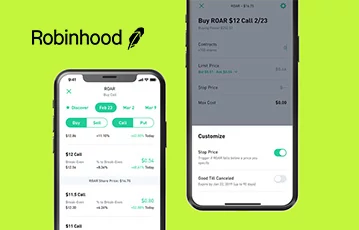
Install the Robinhood app and start trading
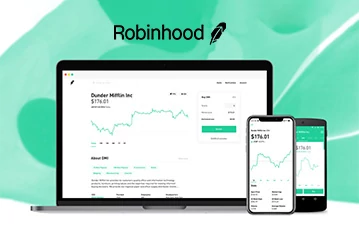
Trade event contracts on the Robinhood desktop site
How to trade event contracts on the Robinhood app
Trading on the Robinhood prediction markets app is built around a simple Yes/No contract framework. Here’s how things work.
Robinhood app download and setup
To begin with, you must stick to official app stores when downloading the Robinhood prediction markets app. That way, you get the legit versions. The setup process is slightly stricter than non-financial apps because it handles real money and official trades regulated by the CFTC. Instead of simply entering an email address and password to get started, the app needs to guard against fraud and money laundering from the jump. To install you:
- Visit Google Play or the App Store.
- Search for Robinhood and hit Install.
- Set up your account and complete identity verification.
- How to make your first trade in the Robinhood app.
- Navigate to Prediction Markets and swipe through the different categories.
- Pick one market, for example, “Will inflation rise above 10%?”
- Select Yes or No and choose your stake size by deciding how many contracts you want to buy. Pay attention to any Robinhood prediction market fees, as they affect your profit potential.
- Hit Submit to lock in the order.
- Go to your main dashboard to review the open position and track progress.
Managing active positions on mobile
You can track price fluctuations in real time via your dashboard, especially for dynamic markets. I’m never compelled to switch to a computer to browse Robinhood election markets, and I found the notifications particularly useful for tracking presidential contracts on the Robinhood mobile app. Use information on sudden odds spikes to close a trade early if you don’t want to risk losing your entire stake by waiting for the official result.
Robinhood app pros & cons
Before downloading the Robinhood prediction markets app, you need to know what it does best and where it falls short. The idea is to make an informed decision.
- Incredibly intuitive mobile setup
- Beginner-friendly
- Simple onboarding
- Notifications make trade tracking easier
- Small screens can make it difficult to keep an eye on liquidity
Full-scale prediction exchange in your pocket
Downloading the Robinhood app is a good call if you want to enjoy convenient trading of event outcomes in transit. I’m happy to say you’re not dealing with a watered-down app here, so no need to forgo certain features simply because you’re trading with your thumb. It’s a full-scale prediction exchange shrunk down to fit on smaller screens, allowing you to enter positions or withdraw winnings with ease.
Notifications allow you to keep an eye on market volatility and liquidity on the fly. Just remember to regularly update the Robinhood app for prediction markets to stop lag and enjoy a smoother feed. Click the banners on this page to sign up with the best sites available in your region.
Robinhood app FAQ
Is the Robinhood app available on Android and iPhone?
Yes, you can access Robinhood prediction markets mobile on your Android and iOS devices. As a federally regulated app, it’s available in all US states, but some states may have paused its operations. So, be sure to check availability before downloading.
How do I place a trade in the Robinhood app?
Log in to the app, go to the Prediction Market, and browse the different options. Select a market, choose your stake, and submit your order.
Is the Robinhood app good for beginners?
The Robinhood app interface is simple and intuitive. While it does have a bit of a learning curve, most beginners will be able to figure things out on day one.