




If you’re just starting up with Polymarket, you’re gonna want to get the app. I’ve got the 411 on what’s happening so you can grab everything you need from a legit source and get straight into it.
I’ll take you through it the Polymarket app download step by step so you know what’s what and can take a look at all the sports, culture and news prediction markets available. You won’t be left wondering what to do as I’ve got all the deets, and you can get started as soon as you’ve checked out your best option.
Polymarket app download pros and cons
Plenty for me to cover here, but before to make sure you understand the assignment, I’ll start with the big issues first:
- Widely available platform
- Make predictions across multiple markets
- Buy and trade event contracts on the move
- Can be confusing for new users
Is there a Polymarket app?
Yes, it doesn’t matter if you are an Android or iOS type, you can get the app in just a few minutes. As soon as you know how Polymarket works, you’ll want to be able to buy and trade event contracts wherever you are, so you’ll want to get into the app from day one. That’s perfect as there’s a full on Android app, an iPhone app and even a web app. No hate on the web app, but I know you’ll really just want the rundown on the Android and Apple apps you’ll use on your phone every day - so here the facts and figures to get you started:
| Platform | Available from | Rating |
|---|---|---|
| iPhone | App Store | 4.6/5 |
| Android | Google Play | 3.8/5 |
As you can see, there’s no dodgy downloads to worry about, so you can go straight to the real, approved, legit app stores to get the apps. I’ve even got a quick breakdown of what to do when you get there:
How to download the Polymarket app on your iPhone
This is pretty much how you’d download everything, but here it is step by step so you know what to do:
- Go to the app store
- Search for ‘Polymarket’ and you’ll see ‘Polymarket: Trade Soccer’ as the top result. Don’t worry, it’s the right one, as you’ll see you can trade much more than just soccer.
- Check the dev is Polymarket/PM US Tech to make doubly sure you’re getting the right app and not some knock-off
- Like other apps, just tap get to start downloading.
- Once installed, open it up and sign up or sign in, then take a look around at the Polymarket crypto markets or anything else that you want to get into.
The app currently has a rating of 4.6 from 43K rating, and currently requires iOS 18.0 or higher. As apps are constantly updated, check the requirements before you go to download it yourself.
How to download the Polymarket app on your Android device
Getting it for your iPhone was simple but this isn’t rocket science either:
- Go to Google Play
- Search for ‘Polymarket’ and check out the results - the legit app should be the top result
- To be sure check the dev is Polymarket and the app support goes to legit Polymarket sources
- Hit install and then open when it’s downloaded and good to go
- Sign in or sign up, get verified and make a deposit before diving into Polymarket 15 minute contracts or whatever is your thing.
This is rated at a lower 3.8/5 from 500K downloads, but some of these tend to be about the whole Polymarket experience rather than just using the app. As with the iOS app make sure you don’t download any 3rd party apps by mistake, as you can also find plenty of Polymarket tools available. Also check the requirements before downloading to make sure it is compatible with your device.
Polymarket app vs. desktop - which one wins?
Well, I’ve used both plenty,and as core functions are broadly the same I’m calling it a tie. You can browse markets and see prices for Polymarket 5 minute Bitcoin, trade in and out and follow all categories like news, politics and of course sport. While you can see more on the desktop screen it might be better for research, but I’ve found the app is better for quick checks as you’ve always got your phone on you, right?
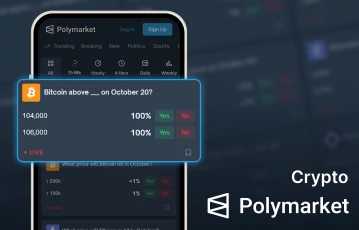
Make crypto predictions at Polymarket
Download the Polymarket mobile app today
Getting Polymarket on your phone in a few easy steps
OK none of this is difficult but a helping hand is always useful. I’ve shown you you’ve got an app no matter what device you've got in your pocket, and that there’s no drama downloading any of them as you just got to the legit app store. Making sure you’re getting the legit app is important , so check carefully your not downloading a tool instead, and a couple of minutes later you’ll be good to go. Before you do any of that, check Polymarket is the best option for you using the links on this page, and take it from there once you’ve made your decision.
Polymarket app download FAQs
Is there an app for Polymarket?
Yes, Polymarket has an app for both Android and iOS devices.
Where can you download the Polymarket app?
The Polymarket app is available at both apps stores, so you don’t need to go to any 3rd party sites
Are the Polymarket apps legit?
Provided you get the real apps from the right app store, yes. Check the dev is right before downloading to make sure you are not getting just a Polymarket tool instead of the full app.